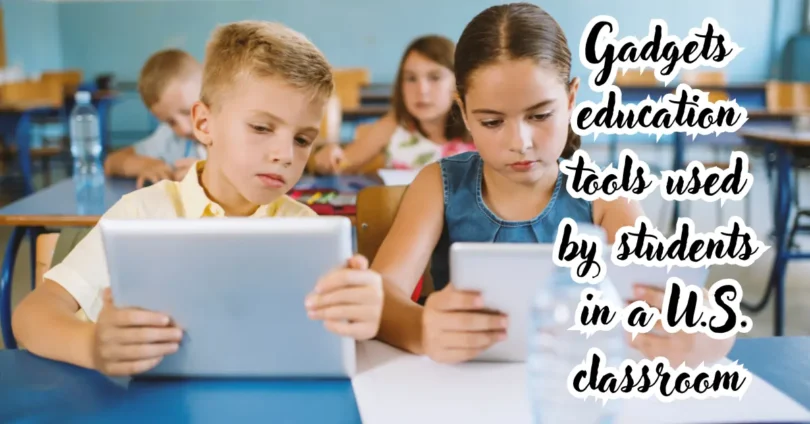

Gadgets education refers to the thoughtful use of electronic devices and digital tools to support teaching, studying, creativity, communication, and skill development. It includes familiar devices such as laptops, tablets, calculators, headphones, document cameras, interactive displays, and educational robots.
When selected carefully, educational gadgets can make lessons more accessible, interactive, and personalized. A student can watch a difficult scientific process in an animation, receive immediate feedback on a math problem, collaborate with classmates remotely, or use accessibility features that make content easier to understand.
However, buying more technology does not automatically improve learning. The device must solve a real educational problem, work with the school’s software, protect student privacy, and be appropriate for the learner’s age.
This guide explains the best gadgets for education, how they are used, their advantages and limitations, what U.S. students and parents should consider before buying, and how to create healthier technology habits.
What Is Gadgets Education?
Gadgets education is the use of digital devices as practical learning tools. Its purpose is not simply to place screens in classrooms. It is to help students access information, practice skills, create projects, communicate, and receive useful feedback.
Educational technology can support learning in several environments:
- Traditional classrooms
- Homeschool programs
- Online courses
- College and university study
- Special education
- Career and technical training
- Libraries and community learning centers
- Adult professional development
A gadget becomes educational when it contributes to a clear learning objective. For example, a tablet used only for entertainment is not necessarily an educational tool. The same tablet becomes valuable for learning when it is used to read an interactive textbook, draw a diagram, practice a language, or conduct a virtual science experiment.
The most effective approach begins with the student’s needs. Teachers and families should identify the learning goal first and select the technology second.
Gadgets Education helps students understand how technology can support learning. Through Gadgets Education, learners can explore tablets, laptops, smart devices, and educational tools. Good Gadgets Education can make lessons more interactive and practical. Students interested in Gadgets Education can learn how different devices are used in classrooms. Modern Gadgets Education also introduces learners to useful digital skills.
Teachers can use Gadgets Education to support research, presentations, and online learning. With proper Gadgets Education, students can understand both the benefits and limits of technology. Online resources can make Gadgets Education easier to access. Effective Gadgets Education encourages responsible and productive technology use. Overall, Gadgets Education can help students prepare for a technology-driven future.
Why Are Gadgets Important in Education?
Educational gadgets are important because they can improve access, participation, practice, and communication. They give learners more ways to interact with information beyond listening to a lecture or reading a printed page.
A student who struggles with written instructions may benefit from audio support. A visual learner may understand a complex topic more easily through diagrams and videos. A student practicing mathematics can receive immediate feedback instead of waiting for an assignment to be graded.
Technology can also connect learning with real-world tasks. Students can create presentations, edit videos, analyze data, design digital models, and collaborate on shared documents. These are useful academic activities as well as transferable workplace skills.
The value of a gadget depends on how it is used. A basic laptop with well-planned learning activities may be more beneficial than an expensive device used without structure.
Best Gadgets for Education
The best gadget is the one that matches the learner’s age, course requirements, environment, and budget. No single device is suitable for every student.
1. Laptops and Chromebooks
Laptops and Chromebooks are among the most versatile educational devices. They can support research, writing, coding, video lessons, presentations, online assessments, and collaboration.
A Chromebook is often suitable for browser-based schoolwork and cloud applications. A Windows or macOS laptop may be a better choice when students need specialized programs for engineering, media production, programming, or advanced design.
Before buying, check:
- The school’s required operating system
- Compatibility with learning platforms
- Battery life for a full school day
- Keyboard and trackpad comfort
- Available storage
- Webcam and microphone quality
- Repair options and warranty coverage
- Weight for daily transportation
Young students may not need a powerful processor or large storage capacity. College students using video-editing, architecture, data science, or engineering software may require stronger hardware.
Gadgets Education helps students understand how technology can support learning. Through Gadgets Education, learners can explore tablets, laptops, smart devices, and educational tools. Good Gadgets Education can make lessons more interactive and practical. Students interested in Gadgets Education can learn how different devices are used in classrooms. Modern Gadgets Education also introduces learners to useful digital skills.
Teachers can use Gadgets Education to support research, presentations, and online learning. With proper Gadgets Education, students can understand both the benefits and limits of technology. Online resources can make Gadgets Education easier to access. Effective Gadgets Education encourages responsible and productive technology use. Overall, Gadgets Education can help students prepare for a technology-driven future.
2. Tablets and Digital Pens
Tablets are useful for reading, drawing, taking handwritten notes, watching lessons, and completing interactive exercises. Their portability makes them especially convenient for younger learners and students who move between classrooms.
A compatible digital pen can help students annotate documents, solve equations by hand, draw scientific diagrams, or create artwork. Handwriting features may also make digital note-taking feel more natural.
Tablets have some limitations. Long essays can be uncomfortable to type without a physical keyboard, and certain desktop applications may not be available. A keyboard case can improve usability, but it also increases the total cost.
3. E-Readers
E-readers are designed primarily for reading digital books. Their focused interface can reduce the temptation to switch between games, social media, and unrelated websites.
Many e-readers offer useful functions such as:
- Adjustable text size
- Built-in dictionaries
- Searchable notes
- Bookmarks
- Highlighting
- Reduced-glare displays
- Long battery life
An e-reader is helpful for literature, independent reading, and travel. It is less suitable for assignments that require advanced formatting, multimedia, or specialized educational software.
Students should also confirm that required textbooks and library services support the chosen device.
4. Noise-Canceling Headphones
Noise-canceling headphones can create a more focused environment in a busy home, library, dormitory, or shared classroom. They are also useful for language lessons, recorded lectures, educational videos, and virtual meetings.
Comfort is more important than appearance. Headphones that feel heavy or tight may distract the student during long study sessions.
Parents should encourage safe listening habits. Volume should remain at a comfortable level, and students should take regular breaks. Noise cancellation should not be used when awareness of traffic, announcements, or nearby people is necessary.
5. Scientific and Graphing Calculators
Scientific and graphing calculators remain important for mathematics, chemistry, physics, engineering, and standardized coursework. They allow students to work with functions, equations, graphs, and statistical calculations.
The correct model depends on the course and testing rules. Some examinations allow only approved calculators or restrict certain functions. Students should consult their teacher, course syllabus, or official test guidance before purchasing one.
A calculator should support mathematical understanding, not replace it. Students still need to learn how formulas work, how to estimate results, and how to recognize an unreasonable answer.
6. Digital Notebooks and Smart Pens
Digital notebooks and smart pens connect handwritten work with digital storage. Depending on the product, students may be able to save, organize, search, or share their handwritten notes.
These gadgets can benefit learners who remember information better when writing by hand but still want the convenience of digital organization.
They are not essential for everyone. A standard notebook may be more affordable and less distracting. Students should consider whether automatic syncing and searchable notes solve a genuine problem before paying for additional features.
7. Document Cameras
A document camera displays a physical page, object, experiment, or demonstration on a larger screen. Teachers can use it to model handwriting, show a textbook passage, explain a math problem, or demonstrate a hands-on activity.
Document cameras are also valuable for remote tutoring. A student can place written work under the camera while an instructor provides feedback.
Useful features include clear resolution, simple controls, flexible positioning, autofocus, and compatibility with the classroom computer.
8. Interactive Displays and Smartboards
Interactive displays allow teachers and students to write, move objects, display multimedia, and interact with lesson content on a large screen.
They can make group instruction more engaging when participation is built into the activity. For example, students might label a diagram, arrange events on a timeline, solve a problem, or compare answers.
The technology should not turn a lesson into a passive slideshow. Its greatest value comes from discussion, demonstration, collaboration, and student interaction.
9. Educational Robots and Coding Kits
Educational robots and coding kits introduce programming, engineering, electronics, and problem-solving through hands-on activities. Students can build a device, write instructions, test its behavior, identify errors, and improve the design.
These tools can teach:
- Computational thinking
- Sequencing
- Logical reasoning
- Basic electronics
- Engineering design
- Teamwork
- Persistence
- Creative problem-solving
Age-appropriate design is essential. Younger learners may benefit from block-based programming and simple physical controls. Older students can progress to sensors, text-based coding, robotics competitions, and more complex engineering projects.
Gadgets Education helps students understand how technology can support learning. Through Gadgets Education, learners can explore tablets, laptops, smart devices, and educational tools. Good Gadgets Education can make lessons more interactive and practical. Students interested in Gadgets Education can learn how different devices are used in classrooms. Modern Gadgets Education also introduces learners to useful digital skills.
Teachers can use Gadgets Education to support research, presentations, and online learning. With proper Gadgets Education, students can understand both the benefits and limits of technology. Online resources can make Gadgets Education easier to access. Effective Gadgets Education encourages responsible and productive technology use. Overall, Gadgets Education can help students prepare for a technology-driven future.
10. Virtual Reality Headsets
Virtual reality headsets can create immersive simulations of historical locations, scientific environments, technical procedures, and three-dimensional models.
A virtual field trip may help students visualize a place that would otherwise be difficult or expensive to visit. Medical, aviation, manufacturing, and technical programs may use simulations to introduce procedures in a controlled environment.
Virtual reality is not appropriate for every lesson. Headsets can be expensive, require supervision, cause discomfort for some users, and create cleaning or storage challenges. Short, purposeful sessions are usually more valuable than using VR simply because it feels exciting.
11. Portable Scanners and Digital Recording Tools
Portable scanners allow students to digitize notes, handouts, receipts, drawings, and research material. Recording tools can support interviews, lectures, language practice, music, and media projects.
Students must obtain permission before recording teachers, classmates, interviews, or private conversations. School rules and personal privacy should always be respected.
A modern smartphone may already perform basic scanning and recording, so a separate device is necessary only when it offers a meaningful improvement in quality or workflow.
12. Assistive Technology Devices
Assistive technology helps students participate more independently. It can support learners with visual, hearing, mobility, communication, reading, writing, or attention-related needs.
Examples include:
- Alternative keyboards and mice
- Refreshable Braille displays
- Screen magnifiers
- Hearing support systems
- Switch-access devices
- Text-to-speech tools
- Speech-to-text software
- Augmentative and alternative communication devices
- Reading pens
- Visual timers
The right solution should be chosen around the individual student rather than a general diagnosis. Families and schools may need input from educators, accessibility specialists, therapists, or other qualified professionals.
Educational Gadget Comparison
The following comparison can help families and students identify which device best matches a specific learning need.
| Gadget | Best Use | Main Benefit | Possible Limitation |
| Laptop or Chromebook | Writing, research, coding and online classes | Versatile and widely compatible | Can be distracting or expensive |
| Tablet with stylus | Reading, drawing and handwritten notes | Portable and interactive | Limited desktop software |
| E-reader | Books and focused reading | Comfortable reading with long battery life | Not suitable for complex assignments |
| Headphones | Audio lessons and focused study | Reduces distractions | Requires safe volume habits |
| Graphing calculator | Advanced math and science | Fast graphing and calculation | May be restricted during tests |
| Coding kit | STEM and programming projects | Develops practical problem-solving | Requires setup and guidance |
| Document camera | Demonstrations and tutoring | Shows physical work clearly | Limited use outside instruction |
| VR headset | Simulations and virtual exploration | Immersive learning experience | Cost, comfort and supervision concerns |
| Assistive device | Personalized accessibility support | Improves participation and independence | Must match individual needs |
Benefits of Gadgets in Education
Gadgets can strengthen learning when they are connected to clear objectives and supported by good instruction.
Personalized Learning
Digital tools can allow students to work at different speeds. A learner may repeat an explanation, increase text size, use captions, or practice a skill until it becomes familiar.
Personalization should not isolate students or replace teacher judgment. Educators still need to evaluate whether the activity is accurate, appropriate, and genuinely helpful.
Immediate Feedback
Many learning platforms can show whether an answer is correct and provide another opportunity to try. This can help students identify misunderstandings before they become established.
Good feedback explains the mistake or guides the next step. A red mark without an explanation may tell a student that an answer is wrong but not help them understand why.
Better Access to Information
A connected device can provide access to digital libraries, academic databases, instructional videos, simulations, maps, and reference material.
Access does not guarantee accuracy. Students need media literacy skills so they can evaluate authorship, evidence, publication dates, bias, and the difference between a primary source and an unsupported opinion.
Increased Engagement
Interactive exercises, multimedia, creative applications, and hands-on technology projects can increase participation. A student may be more motivated to learn geometry by designing a model or to practice writing by publishing a class newsletter.
Engagement should lead to thinking. Bright animations, rewards, and games may capture attention without producing meaningful understanding.
Collaboration and Communication
Shared documents, classroom platforms, discussion tools, and video meetings allow students to work together even when they are not in the same location.
Digital collaboration also teaches practical habits, including version control, respectful communication, task management, and giving constructive feedback.
Development of Digital Skills
Students need to learn more than how to operate a device. Useful digital skills include organizing files, protecting passwords, evaluating sources, creating content, troubleshooting problems, communicating professionally, and using artificial intelligence responsibly.
These abilities prepare learners for further education and many modern workplaces.
Accessibility and Inclusion
Educational gadgets can present the same information in several forms. Text may be read aloud, speech may be converted into writing, video can include captions, and interfaces can be adjusted for easier use.
Accessibility features are most effective when they are available from the beginning rather than added only after a student encounters difficulty.
Limitations and Risks of Educational Gadgets
The main limitations include distraction, unequal access, privacy concerns, physical strain, technical problems, and overdependence on screens. These risks do not mean technology should be avoided, but they do require planning.
Distraction and Reduced Focus
A device used for school may also contain games, messages, entertainment, and social media. Frequent alerts can interrupt concentration and make deep work difficult.
Useful responses include turning off nonessential notifications, using a separate study profile, blocking distracting applications during study periods, and keeping the phone outside the immediate workspace.
Excessive Screen Time
Long periods of device use can contribute to eye discomfort, poor posture, inactivity, and disrupted routines. The quality and purpose of screen use matter, but regular movement and off-screen activity remain essential.
Students should alternate digital work with reading, handwriting, discussion, outdoor activity, experiments, and physical projects.
Unequal Access
Not every household has reliable internet, updated devices, quiet study space, or the ability to replace damaged equipment. Schools should avoid assuming that every student has the same resources at home.
Downloadable materials, loan programs, flexible deadlines, offline options, and access to school or library facilities can reduce these barriers.
Privacy and Security
Educational devices may collect names, email addresses, assignments, usage information, audio, video, or performance data. Families and schools should understand what an application collects, why it is needed, how it is protected, and whether it is shared.
Students should use strong passwords, enable available security protections, install updates, and avoid sharing personal details publicly. Parents should review account settings and app permissions for younger children.
Gadgets Education helps students understand how technology can support learning. Through Gadgets Education, learners can explore tablets, laptops, smart devices, and educational tools. Good Gadgets Education can make lessons more interactive and practical. Students interested in Gadgets Education can learn how different devices are used in classrooms. Modern Gadgets Education also introduces learners to useful digital skills. Teachers can use Gadgets Education to support research, presentations, and online learning. With proper Gadgets Education, students can understand both the benefits and limits of technology. Online resources can make Gadgets Education easier to access. Effective Gadgets Education encourages responsible and productive technology use. Overall, Gadgets Education can help students prepare for a technology-driven future.
Misinformation and Low-Quality Content
Search engines, social platforms, and generative AI tools can produce inaccurate, incomplete, or misleading information. A polished answer is not necessarily a correct answer.
Students should verify important claims using reliable sources, compare information across references, and cite the original material. Teachers can help students distinguish evidence from confident-sounding speculation.
Technical Problems
Devices can fail, batteries can run out, internet connections can drop, and software may become incompatible. Students should not lose the ability to learn when one tool stops working.
A practical backup plan might include downloaded files, printed instructions, offline activities, cloud backups, charging cables, and alternative ways to submit an assignment.
Cost and Planned Replacement
The purchase price is only one part of the total cost. Accessories, software subscriptions, protective cases, repairs, warranties, cloud storage, and eventual replacement can increase the expense.
Families should prioritize durability and compatibility over premium features that are unlikely to be used.
How to Choose the Right Educational Gadget
Choose a gadget by defining the learning need, checking compatibility, setting a realistic total budget, and evaluating comfort, durability, accessibility, and privacy.
Step 1: Identify the Learning Goal
Start with the problem the device should solve.
Ask questions such as:
- Does the student need to write long assignments?
- Is the device required for a specific class?
- Will it be used for drawing, coding, reading, or video editing?
- Does the learner need an accessibility feature?
- Will the device travel to school every day?
- Is reliable offline use important?
This step prevents impulse purchases based on advertising or popularity.
Step 2: Check School Requirements
Schools may use specific platforms, testing systems, applications, or device-management tools. A product that appears suitable may not work with required software.
Request a recommended specifications list before buying. College students should also consult their department because different majors can have very different hardware requirements.
Step 3: Set a Total Budget
Include the full ownership cost, not just the advertised price.
The budget may need to cover:
- Protective case
- Keyboard or digital pen
- Headphones
- Software
- Cloud storage
- Warranty or insurance
- Repair costs
- Replacement charger
- Internet access
Refurbished equipment from a reputable seller may offer good value, but buyers should examine battery condition, return policies, warranty coverage, and software support.
Step 4: Evaluate Durability and Portability
A student carrying a device daily needs reliable construction and manageable weight. Younger children may benefit from a rugged case, spill resistance, reinforced corners, and simple controls.
Check whether the charger is easy to replace and whether local repair options are available. A slightly less powerful device that survives daily use may be the smarter purchase.
Step 5: Review Privacy and Parental Controls
Examine app permissions, account requirements, advertising practices, communication features, and available controls. Avoid installing unnecessary applications that collect more information than the learning activity requires.
Parental controls can help with younger students, but they should be combined with honest conversations about privacy, respectful behavior, online scams, and responsible use.
Step 6: Test Comfort and Accessibility
If possible, let the student test the keyboard, screen, pen, headphones, or controls. A device that is uncomfortable may remain unused even if its technical specifications look excellent.
Review built-in accessibility options such as captions, voice control, screen reading, contrast adjustments, keyboard navigation, text scaling, and reduced-motion settings.
Step 7: Plan How It Will Be Used
Set practical expectations before the device becomes part of the routine. Decide where it will be stored, when it should be charged, which applications are permitted, and how schoolwork will be backed up.
A simple usage plan makes the purchase more likely to deliver educational value.
How Teachers Can Use Gadgets Effectively
Teachers should use gadgets only when they make the learning activity clearer, more accessible, more efficient, or more meaningful.
A strong technology-supported lesson usually has four parts:
- A specific learning objective
- A tool that directly supports that objective
- An activity requiring students to think or create
- A method for checking understanding
For example, students might use a simulation to change variables in a science experiment. The learning does not come from opening the simulation. It comes from predicting outcomes, observing results, explaining patterns, and comparing findings.
Teachers should also provide clear instructions and a backup option. Time spent solving preventable login or compatibility issues can reduce the value of a lesson.
How Parents Can Manage Gadgets at Home
Parents can manage educational gadgets by creating consistent routines instead of relying only on restrictions. Children are more likely to develop healthy habits when expectations are clear and adults model similar behavior.
Helpful household practices include:
- Establishing a regular charging location
- Keeping devices away from meals when possible
- Creating notification-free homework periods
- Reviewing new applications before installation
- Encouraging regular movement and eye breaks
- Keeping passwords private
- Discussing online behavior without embarrassment
- Setting a consistent bedtime routine
- Using devices in shared spaces for younger children
- Balancing digital activities with books, play, and conversation
The goal is not constant surveillance. It is to help the student gradually develop self-control, judgment, and digital responsibility.
Gadgets Education for Different Age Groups
Technology should become more independent, flexible, and sophisticated as the learner develops.
Elementary School Students
Younger children benefit from simple interfaces, durable equipment, guided use, and short activities. Drawing tools, interactive reading programs, age-appropriate coding toys, and audio learning can be useful.
Adult involvement remains important. Parents and teachers should select content, explain online safety, and connect screen activities with physical play and real-world experiences.
Middle School Students
Middle school learners often need devices for research, writing, presentations, classroom platforms, and introductory coding. This is also an important stage for teaching source evaluation, password safety, respectful communication, and distraction management.
Students can begin taking more responsibility for charging devices, organizing files, and monitoring assignments.
High School Students
High school technology needs vary by subject. Students may use graphing calculators, laboratory sensors, video-editing software, digital art tools, coding environments, and college-preparation platforms.
They should understand citation, academic integrity, data privacy, digital portfolios, and responsible AI use. Technology should help students demonstrate their thinking rather than hide it.
College and Adult Learners
College students and adult learners generally need flexibility, reliable multitasking, file compatibility, and strong organization. The right device depends heavily on the program.
A student studying literature may prioritize reading and writing comfort. An engineering student may need specialized software and greater processing power. A media student may require a high-quality display and substantial storage.
Using Artificial Intelligence as an Educational Tool
AI can support brainstorming, explanations, practice questions, language learning, coding assistance, and feedback. It should be treated as a fallible tool rather than an unquestionable authority.
A responsible student should:
- Follow the teacher’s AI policy.
- Avoid submitting generated work as original work.
- Verify facts using trustworthy sources.
- Protect private and sensitive information.
- Ask for explanations instead of only final answers.
- Cite AI use when the assignment requires disclosure.
- Compare the output with course material.
A productive use might be asking for three explanations of a difficult concept at different reading levels. An unproductive use would be copying an entire generated essay without understanding, checking, or revising it.
Common Mistakes to Avoid
The most common mistake is buying technology before identifying the learning need. Other mistakes involve compatibility, security, distractions, and unrealistic expectations.
Avoid these problems:
- Choosing a device because it is popular
- Ignoring school software requirements
- Paying for features the student will not use
- Installing too many applications
- Using weak or repeated passwords
- Skipping software and security updates
- Allowing notifications during focused study
- Depending entirely on internet access
- Assuming expensive technology guarantees better grades
- Replacing discussion and hands-on learning with screens
- Using AI-generated information without verification
- Forgetting repair, accessory, and subscription costs
The best gadgets education strategy is usually simple: select fewer tools, use them consistently, and connect every tool to a meaningful purpose.
Students do not need every new device to study effectively. The best choice depends on age, subjects, school requirements, and budget. Before purchasing anything, explore our guide to the best educational gadgets for students. You can also compare a Chromebook vs laptop for school and learn how to create a healthy screen-time routine that balances digital and offline learning.
Online safety should be part of every gadgets education plan. The Cybersecurity and Infrastructure Security Agency recommends practical security measures such as using strong passwords, enabling multifactor authentication, recognizing phishing attempts, and keeping software updated. Parents can also review the Federal Trade Commission’s online safety guidance for children before allowing younger students to use educational apps and connected devices.
Frequently Asked Questions
What are educational gadgets?
Educational gadgets are electronic devices used to support learning, teaching, accessibility, creativity, or academic organization. Examples include laptops, tablets, e-readers, calculators, headphones, interactive displays, document cameras, coding kits, and assistive devices. A gadget is educational when it helps a learner achieve a specific objective rather than merely adding entertainment or novelty.
Which gadget is best for students?
A laptop or Chromebook is the most versatile option for many students because it supports writing, research, online classes, presentations, and collaboration. However, the best choice depends on school requirements and the learner’s tasks. Art students may prefer tablets, while engineering or media students may need more powerful computers and specialized software.
How do gadgets improve education?
Gadgets can improve education by providing immediate feedback, multimedia explanations, accessibility tools, flexible practice, and access to digital resources. They can also support collaboration and creative project work. Their success depends on instructional quality, student habits, reliable access, and whether the technology is connected to a clear learning goal.
What are the disadvantages of gadgets in education?
Possible disadvantages include distraction, excessive screen use, privacy risks, misinformation, physical discomfort, technical failures, and unequal access. Devices may also become expensive when accessories and subscriptions are included. These risks can be reduced through careful purchasing, clear routines, security settings, source verification, regular breaks, and a balance of digital and offline learning.
Should children use gadgets for homework every day?
Children can use gadgets regularly when the activity has a clear educational purpose and remains balanced with sleep, exercise, conversation, handwriting, reading, and creative play. The appropriate amount varies by age, assignment, and individual needs. Parents should focus on content quality, healthy routines, posture, breaks, and whether the child is actively learning.
Educational technology should help students understand concepts rather than complete their work for them. Parents and teachers can explore our guides to STEM gadgets for students and responsible AI use for schoolwork for practical advice on choosing safe, useful, and age-appropriate learning tools.
Conclusion
Gadgets education can make learning more accessible, interactive, personalized, and connected to practical skills. Laptops, tablets, e-readers, calculators, coding kits, headphones, interactive displays, and assistive devices can all provide value when used for the right purpose.
The device itself is only one part of the learning experience. Effective instruction, student effort, reliable content, healthy routines, privacy protection, and opportunities for offline learning remain essential.
Before purchasing a gadget, identify the exact learning goal, confirm school compatibility, calculate the total cost, examine accessibility and security features, and create a realistic plan for daily use. The best next step is to list the student’s three most important learning tasks and select the simplest device that can handle all three reliably.