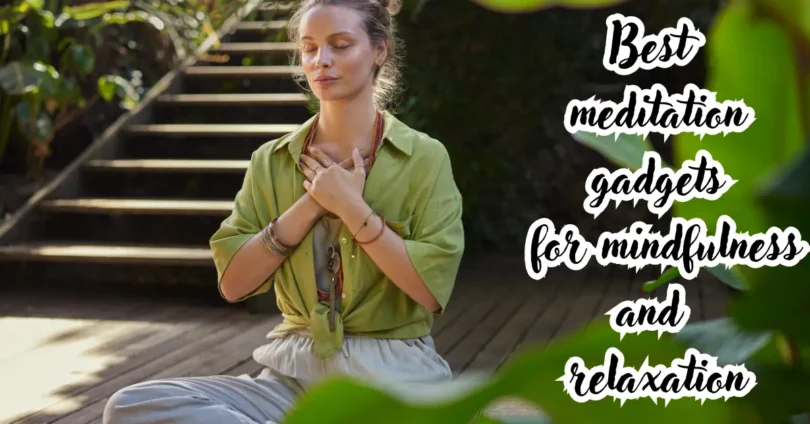

Meditation gadgets can make it easier to build a consistent mindfulness practice by providing guided breathing, calming audio, biofeedback, reminders, or a distraction-free environment. They range from simple meditation timers and cushions to smart headbands, breathing devices, light-based tools, and wearable stress trackers.
The right device will not meditate for you, and expensive technology does not automatically produce better results. However, a well-chosen gadget can remove common barriers such as poor posture, distracting noise, uncertainty about breathing, and difficulty maintaining a routine.
This guide explains the main types of meditation gadgets, how they work, who they suit, their limitations, and what to consider before spending money. It also covers privacy, comfort, subscriptions, sensor accuracy, and practical ways to use technology without letting it become another distraction.
Meditation Gadgets are designed to support people during relaxation and mindfulness sessions. Many Meditation Gadgets include features such as calming sounds, timers, lights, or guided exercises. Some Meditation Gadgets can help users create a quiet and focused environment.
When choosing Meditation Gadgets, it is useful to consider their features and ease of use. Modern Meditation Gadgets are available in different designs and price ranges. Beginners can explore Meditation Gadgets to find tools that fit their routine. Certain Meditation Gadgets may also connect with mobile apps for additional features. However, Meditation Gadgets are optional and are not required for meditation. Simple Meditation Gadgets can be useful for creating a consistent relaxation routine. Overall, Meditation Gadgets can complement a regular mindfulness practice.
What Are Meditation Gadgets?
Meditation gadgets are physical devices or technology-based tools designed to support meditation, mindful breathing, relaxation, sleep preparation, or stress awareness. Some provide active guidance, while others improve comfort or create a calmer environment.
Common examples include:
- Meditation timers
- Smart meditation headbands
- Heart rate variability biofeedback devices
- Breathing pacers
- Noise-canceling headphones
- Guided meditation speakers
- Light-based breathing tools
- Aromatherapy diffusers
- Acupressure mats
- Meditation cushions and benches
- Smart rings and fitness watches
- Sleep masks with built-in audio
Most consumer meditation technology falls under general wellness rather than medical treatment. The FDA’s general wellness guidance distinguishes low-risk wellness products from devices intended to diagnose, treat, cure, or prevent medical conditions.
That distinction matters. A meditation wearable may estimate stress, heart rate, or relaxation trends, but its readings should not automatically be treated as a medical diagnosis.
Do Meditation Gadgets Actually Work?
Meditation gadgets can help when they solve a specific problem, such as inconsistent practice, uncomfortable posture, distracting surroundings, or difficulty regulating breathing. Their effectiveness depends more on regular use and appropriate expectations than on advanced technology.
A timer may be more helpful than a sophisticated headset if your main difficulty is checking the clock. Likewise, comfortable headphones may offer greater value than biometric tracking if environmental noise keeps interrupting you.
The National Center for Complementary and Integrative Health reports that meditation and mindfulness may offer benefits for certain concerns, but research quality and results vary by condition and type of practice. A gadget should therefore be viewed as a support tool, not the source of meditation’s potential benefits.
What a useful gadget can do
A well-designed device may help you:
- Start sessions on time
- Follow a steady breathing rhythm
- Reduce external distractions
- Maintain a comfortable position
- Notice changes in heart rate or breathing
- Track practice consistency
- Create a calming pre-sleep routine
- Learn basic meditation techniques
What a gadget cannot guarantee
No consumer device can guarantee:
- Immediate stress relief
- Perfect concentration
- Accurate diagnosis of anxiety or another condition
- A specific brain state
- Better sleep after every session
- Permanent emotional control
- Results without consistent practice
Technology can provide structure and feedback, but meditation still requires attention, patience, and repetition.
Best Types of Meditation Gadgets
The best meditation gadget is the one that addresses your biggest obstacle without adding unnecessary complexity. Beginners often benefit from simple timers, audio tools, and comfortable seating. Experienced users may find biofeedback or distraction-blocking devices more useful.
1. Meditation Timers
A meditation timer lets you practice for a defined period without repeatedly checking your phone or a clock. It is one of the simplest and most practical meditation gadgets.
Dedicated timers may use soft bells, vibration, gentle lights, or interval signals. Some allow you to divide a session into stages, such as two minutes of breathing, ten minutes of silent observation, and three minutes of reflection.
Benefits
- Easy to understand and use
- Usually affordable
- Reduces clock-checking
- Supports consistent session lengths
- Can work without an app or internet connection
Limitations
- Does not teach meditation
- Offers little or no personalized feedback
- Some models have harsh or distracting alarm sounds
Choose a timer with adjustable volume and a pleasant tone. If you meditate in a shared space, vibration mode may be more appropriate than an audible bell.
2. Smart Meditation Headbands
Smart meditation headbands use sensors placed near the forehead or scalp to detect electrical, muscular, or movement-related signals. A connected app may translate these readings into sounds, scores, or session summaries.
Some headbands use electroencephalography, commonly called EEG, to detect patterns of electrical activity. However, consumer EEG equipment is not equivalent to clinical neurological testing. Signal quality can be affected by movement, poor sensor contact, hair, sweat, and facial muscle activity.
Benefits
- Provides immediate or post-session feedback
- May make meditation more engaging for data-oriented users
- Helps users notice restlessness or movement
- Can support structured training programs
Limitations
- More expensive than basic meditation tools
- Requires charging and correct sensor placement
- Feedback can become distracting
- Scores may oversimplify a complex mental experience
- Some features may require a paid subscription
A meditation score should be interpreted as one device’s estimate, not a judgment about whether you meditated correctly. Thoughts and distractions are normal parts of practice.
Meditation Gadgets are designed to support people during relaxation and mindfulness sessions. Many Meditation Gadgets include features such as calming sounds, timers, lights, or guided exercises. Some Meditation Gadgets can help users create a quiet and focused environment.
When choosing Meditation Gadgets, it is useful to consider their features and ease of use. Modern Meditation Gadgets are available in different designs and price ranges. Beginners can explore Meditation Gadgets to find tools that fit their routine. Certain Meditation Gadgets may also connect with mobile apps for additional features. However, Meditation Gadgets are optional and are not required for meditation. Simple Meditation Gadgets can be useful for creating a consistent relaxation routine. Overall, Meditation Gadgets can complement a regular mindfulness practice.
3. Heart Rate Variability Biofeedback Devices
Heart rate variability, or HRV, describes variation in the time between consecutive heartbeats. HRV biofeedback tools commonly pair heart monitoring with slow, controlled breathing.
The device may use a chest strap, finger sensor, wrist wearable, smart ring, or camera-based phone measurement. It then displays a visual or audio signal to help the user coordinate breathing and observe physiological changes.
Benefits
- Gives users a concrete breathing target
- Can make relaxation exercises easier to understand
- Shows trends over repeated sessions
- May encourage slower and more deliberate breathing
Limitations
- Consumer measurements vary in reliability
- Movement can interfere with readings
- Wrist sensors may perform differently from chest-based sensors
- A single HRV value is not a complete measure of stress or health
- Comparing your score with someone else’s may be misleading
HRV is influenced by sleep, activity, illness, alcohol, medication, age, measurement position, and time of day. For more meaningful personal trends, measure under similar conditions and focus on changes over time rather than one isolated result.
4. Breathing Pacer Devices
Breathing pacers guide inhalation and exhalation through expanding lights, vibration, sound, or physical movement. They are useful for people who struggle to maintain a slow rhythm without counting.
Some are handheld devices that rise and fall. Others sit on a desk and brighten or dim to indicate each breathing phase.
Benefits
- Simple visual or tactile guidance
- Useful when you do not want to look at a phone
- Can support short relaxation breaks
- Often works without headphones
Limitations
- A fixed rhythm may feel uncomfortable
- Overly deep breathing may cause lightheadedness
- Some products offer limited customization
Do not force yourself to match an uncomfortable breathing pace. Begin with natural breaths and gradually slow them. Stop and return to normal breathing if you feel dizzy, numb, short of breath, or unwell.
5. Noise-Canceling Headphones and Meditation Earbuds
Noise-canceling headphones reduce steady background sounds such as air conditioning, traffic, airplane engines, and office noise. They can be especially helpful for guided meditation, soundscapes, or breath-focused sessions in busy environments.
Over-ear headphones usually offer better passive isolation and battery life. Earbuds are smaller and more convenient for travel, but they may become uncomfortable during longer sessions.
Benefits
- Reduces environmental distractions
- Supports guided audio and nature sounds
- Useful for travel and shared living spaces
- Can serve multiple purposes beyond meditation
Limitations
- Active noise cancellation does not block every sound
- Ear pressure or discomfort affects some users
- Battery warnings and notifications may interrupt sessions
- Wearing headphones may reduce awareness of important surroundings
Do not use strong noise isolation when you need to hear traffic, alarms, children, coworkers, or safety announcements.
6. Guided Meditation Speakers
A dedicated meditation speaker provides guided sessions or ambient audio without requiring you to hold a phone. Some models include offline content, physical controls, scheduled routines, or screen-free operation.
These devices work well in bedrooms, yoga spaces, and family meditation areas.
Benefits
- Creates a screen-free experience
- Easier to operate than navigating multiple apps
- Can support household or group sessions
- May include sleep stories, soundscapes, or breathing programs
Limitations
- Less private than headphones
- Content libraries may be limited
- Some require Wi-Fi or a subscription
- Voice assistants can introduce notifications or privacy concerns
Look for offline playback, adjustable display brightness, clear volume controls, and the ability to disable notifications.
7. Light-Based Meditation Tools
Light-based meditation gadgets use gradual brightness changes, colors, or moving patterns to guide breathing and focus. A light may expand during inhalation and contract during exhalation, providing a silent visual anchor.
Sunrise lamps may also support a calming morning routine, while dim red or amber light can make evening meditation feel less stimulating than a bright phone screen.
Benefits
- Silent and easy to follow
- Useful for visual learners
- Suitable for shared or quiet environments
- Can support morning and bedtime routines
Limitations
- Requires the user to keep their eyes open
- Flashing or rapidly changing light may be unsuitable for some people
- Bright displays can interfere with a dark sleep environment
Choose soft, adjustable light rather than intense or rapidly pulsing effects. People with photosensitive epilepsy, migraine sensitivity, or concerns about flashing lights should seek professional guidance before using light-stimulation products.
8. Smart Rings, Watches, and Fitness Trackers
Smart rings and fitness watches may track heart rate, sleep estimates, breathing sessions, activity, and recovery-related trends. They are not always designed specifically for meditation, but their reminders and breathing modes can support a daily practice.
Benefits
- Combines meditation support with general wellness tracking
- Offers discreet reminders
- Tracks multiple long-term trends
- May already be owned by the user
Limitations
- Constant scores can increase stress
- Sleep and stress estimates are not perfectly accurate
- Notifications can interrupt meditation
- Features vary by brand and software version
- Health data may be stored in the cloud
Enable a focus or do-not-disturb mode before meditating. Use trends as prompts for reflection rather than allowing a readiness or stress score to control your day.
9. Meditation Cushions, Benches, and Supportive Mats
Not every meditation gadget needs electronics. A cushion, bench, supportive mat, or backrest can improve comfort and make regular practice more sustainable.
A meditation cushion raises the hips and may reduce strain when sitting cross-legged. A bench supports kneeling meditation, while a firm chair can be the best option for people with limited mobility.
Benefits
- No charging, app, or subscription
- Improves comfort and posture
- Suitable for all experience levels
- Usually lasts longer than electronic devices
Limitations
- The wrong height or firmness can create discomfort
- Floor sitting is not suitable for everyone
- Larger cushions are less portable
Your position does not need to look traditional. Sit on a chair if that helps you remain alert and comfortable. Keep your feet supported, relax your shoulders, and avoid forcing your knees or hips into painful positions.
10. Aromatherapy Diffusers
Aromatherapy diffusers release scented mist into a room and may help establish a recognizable meditation ritual. The scent becomes an environmental cue that it is time to pause and focus.
Benefits
- Helps create a dedicated atmosphere
- Can become part of a consistent routine
- Many devices include timers and adjustable mist
- Useful beyond meditation
Limitations
- Fragrance can trigger headaches or respiratory irritation
- Essential oils may be unsafe around certain pets
- Oils can damage surfaces if spilled
- A diffuser does not directly improve meditation ability
Use proper ventilation and follow the manufacturer’s dilution and cleaning instructions. Research the safety of individual oils if children, pets, pregnant people, or individuals with asthma are present.
11. Acupressure Mats and Relaxation Devices
Acupressure mats contain numerous raised plastic points. Users usually lie on the mat for a short period while breathing slowly. Some people find the strong physical sensation grounding, while others find it uncomfortable.
Heated eye masks, massage cushions, and neck-relaxation devices may also help users settle before a session.
Benefits
- Provides a strong physical focus
- May help create a transition from work to rest
- Can be combined with body-scan meditation
- Requires little technical setup
Limitations
- Evidence for broad health claims may be limited
- Pressure can irritate sensitive skin
- Heated products require careful temperature control
- Not appropriate for every medical or skin condition
Avoid using pressure or heated tools on injured, numb, irritated, or infected areas. Follow product safety instructions and consult a qualified healthcare professional if you have circulation problems, reduced sensation, a bleeding disorder, or another relevant condition.
Meditation Gadgets are designed to support people during relaxation and mindfulness sessions. Many Meditation Gadgets include features such as calming sounds, timers, lights, or guided exercises. Some Meditation Gadgets can help users create a quiet and focused environment.
When choosing Meditation Gadgets, it is useful to consider their features and ease of use. Modern Meditation Gadgets are available in different designs and price ranges. Beginners can explore Meditation Gadgets to find tools that fit their routine. Certain Meditation Gadgets may also connect with mobile apps for additional features. However, Meditation Gadgets are optional and are not required for meditation. Simple Meditation Gadgets can be useful for creating a consistent relaxation routine. Overall, Meditation Gadgets can complement a regular mindfulness practice.
Meditation Gadget Comparison Table
| Gadget type | Best for | Main advantage | Main limitation | Typical complexity |
| Meditation timer | Beginners and minimalists | Prevents clock-checking | No instruction or feedback | Very low |
| Breathing pacer | Guided breath practice | Clear visual or tactile rhythm | Fixed pacing may not suit everyone | Low |
| Headphones | Noisy environments | Reduces distractions | Requires charging and may feel isolating | Low |
| Meditation speaker | Screen-free guided sessions | Simple shared audio | Less privacy | Low |
| Cushion or bench | Posture and comfort | No electronics required | Must fit the user’s body | Low |
| Smartwatch or ring | Habit and wellness tracking | Combines several tracking features | Data may create unnecessary pressure | Medium |
| HRV biofeedback sensor | Physiological feedback | Connects breathing with measurable signals | Readings require careful interpretation | Medium |
| Smart meditation headband | Data-driven training | Detailed session feedback | Expensive and potentially distracting | High |
| Light-based tool | Visual focus and breathing | Silent guidance | Not suitable for all users | Low |
| Diffuser | Creating a meditation atmosphere | Strengthens routine cues | Fragrance sensitivity and pet safety | Low |
How to Choose the Right Meditation Gadget
Choose a gadget by identifying the specific reason your meditation practice is difficult. Avoid starting with product features or marketing claims.
1. Identify your main obstacle
Ask what usually stops you from meditating:
- Do you forget to practice?
- Is your room too noisy?
- Does sitting become painful?
- Are you unsure how to breathe?
- Do you lose motivation without visible progress?
- Does your phone distract you?
- Are you trying to build a sleep routine?
Match one problem to one tool. For example, choose a cushion for posture, headphones for noise, or a timer for consistency.
2. Decide whether you want guidance or silence
Some people prefer spoken instruction, soundscapes, and real-time feedback. Others become distracted by voices, scores, and alerts.
A simple timer is better for silent practice. A speaker or headphones work well for guided meditation. Biofeedback tools are more suitable when measurable feedback increases your motivation.
3. Consider the full cost
The purchase price may not be the total cost. Before buying, check for:
- Monthly or annual subscriptions
- Replacement sensors or adhesive pads
- Premium app requirements
- Proprietary charging accessories
- Battery replacement limitations
- Paid content libraries
- Return shipping or restocking fees
A lower-priced device with an ongoing subscription can eventually cost more than a premium tool with useful offline features.
4. Review comfort and accessibility
A device will not support consistency if it is uncomfortable. Check weight, fit, sensor pressure, control size, audio volume, display brightness, and compatibility with glasses or hearing aids.
For cushions and benches, review dimensions rather than relying only on product photos. Body proportions, flexibility, joint mobility, and sitting style affect the correct height.
5. Check app compatibility
Confirm that the companion app supports your phone’s current operating system. Look for information about account requirements, offline functionality, data export, and whether core features remain available without a subscription.
A device that depends entirely on an app may lose functionality if the manufacturer stops updating its software.
6. Examine the return policy and warranty
Sensor-based products can fit differently from one person to another. A reasonable return window gives you time to test comfort, connectivity, and usefulness.
Check whether the warranty covers the battery, sensors, charging cable, and app-related defects.
Meditation Gadgets by User Type
Best options for beginners
Beginners should prioritize simplicity. A comfortable seat, a gentle timer, and optional guided audio are usually enough to establish a practice.
A practical starter setup includes:
- A firm cushion or supportive chair
- A basic timer
- Comfortable headphones if needed
- One beginner-friendly guided meditation source
Avoid buying several devices at once. Learn what genuinely interrupts your sessions before adding technology.
Best options for experienced meditators
Experienced users may benefit from tools that support longer sessions, retreats, or specific training goals.
Useful options include:
- An interval timer
- A meditation bench
- High-quality noise isolation
- A screen-free audio device
- An HRV sensor for separate breathing exercises
Biofeedback can be interesting, but it should not replace direct awareness of thoughts, sensations, and emotions.
Best options for people working from home
A small desktop breathing light or wearable reminder can create short pauses between meetings. Noise-canceling headphones can separate meditation time from household activity.
A five-minute session may be easier to maintain than an ambitious 30-minute routine. Keep the device visible and ready rather than stored in a drawer.
Best options for travel
Travel-friendly meditation gadgets should be compact, reliable, and usable without internet access.
Good choices include:
- Earbuds with noise cancellation
- A compact eye mask
- An offline meditation timer
- A foldable cushion or support pad
- A smartwatch with vibration alerts
Download audio before leaving home and verify battery life before a flight or long trip.
Best options for sleep preparation
For evening use, choose devices with dim displays, automatic shutoff, low-volume audio, and minimal notifications. A comfortable sleep mask, small speaker, or gentle breathing light can support a predictable wind-down routine.
Meditation technology should reduce stimulation at night. Bright screens, achievement scores, and complicated dashboards may have the opposite effect.
How to Use Meditation Gadgets Without Becoming Distracted
Technology should disappear into the practice once the session begins. If you spend more time changing settings, reviewing graphs, or comparing scores than meditating, simplify your setup.
Follow these steps:
- Choose one session goal, such as observing the breath for ten minutes.
- Prepare the device before sitting down.
- Enable airplane mode or do-not-disturb mode when possible.
- Use only the feature needed for that session.
- Keep your body comfortable and your breathing natural.
- Finish before reviewing scores or notifications.
- Record one brief observation instead of analyzing every metric.
- Review long-term trends no more often than necessary.
Try the same setup for at least several sessions before deciding whether it works. One unusually restless or calm session does not establish a reliable pattern.
Privacy and Data Security Considerations
Connected meditation gadgets may collect heart rate, sleep patterns, breathing data, account details, device identifiers, location information, and usage history. Review the privacy policy before creating an account.
The Federal Trade Commission explains that many health apps and similar technologies can hold sensitive health-related information even when they are not covered by HIPAA in the same way as a hospital or medical practice.
Before connecting a device, check:
- What information is collected
- Whether data is sold or used for advertising
- Whether information is shared with third parties
- If cloud storage can be disabled
- How to delete your account and historical data
- Whether multi-factor authentication is available
- Whether the device works without location access
- If data can be exported in a readable format
Grant only the permissions needed for the device to function. A breathing timer generally should not require continuous location or access to unrelated contacts and files.
Common Mistakes to Avoid
Buying the most advanced device first
More sensors do not necessarily create a better practice. Begin with the smallest solution that addresses your actual difficulty.
Treating scores as medical information
A stress, focus, sleep, or readiness score is an estimate generated by an algorithm. It should not replace symptoms, professional evaluation, or validated medical testing.
Trying to eliminate every thought
Meditation is not a competition to produce an empty mind. Noticing that attention has wandered and gently returning it is part of the practice.
Using an uncomfortable breathing rate
Do not force long breath holds or unusually deep breaths simply to match a device. Comfort and safety are more important than completing a pattern.
Ignoring subscription requirements
Check what remains available if you cancel. A device may offer limited value without its premium app plan.
Tracking too many measurements
More data can create anxiety or encourage constant self-evaluation. Choose one useful measure, such as practice frequency, rather than monitoring every available score.
Expecting the gadget to create consistency
A device can provide reminders, but a realistic schedule is still necessary. Attach meditation to an existing routine, such as after morning coffee or before turning off the bedroom light.
A Simple Seven-Day Meditation Gadget Plan
This plan helps you test a new device without overcomplicating your routine.
Day 1: Learn the controls
Set up the device, adjust comfort, disable unnecessary notifications, and read essential safety information. Practice for only five minutes.
Day 2: Establish a baseline
Meditate at a convenient time without trying to improve a score. Notice whether the device reduces or adds distraction.
Day 3: Adjust the environment
Change seating, light, volume, or room temperature. Keep the meditation method and duration the same.
Day 4: Test one feature
Try one useful feature, such as vibration intervals, paced breathing, or offline guided audio. Avoid activating everything at once.
Day 5: Practice without feedback
If possible, hide live measurements and review them only afterward. This helps determine whether real-time feedback supports awareness or divides your attention.
Day 6: Repeat under normal conditions
Use the gadget during a typical workday rather than creating perfect test conditions. Practical usefulness matters more than ideal performance.
Day 7: Evaluate honestly
Ask three questions:
- Did the gadget make starting easier?
- Did it improve comfort or reduce distraction?
- Am I likely to use it several times per week?
Return, exchange, or simplify the device if the answer is consistently no.
Safety and Responsible Use
Meditation and mindfulness are generally considered low-risk, but they are not universally comfortable. NCCIH notes that some people report negative experiences, including increased anxiety or depression. Meditation should not be used as a reason to delay appropriate medical or mental health care.
Stop a session if you experience severe distress, panic, troubling memories, dizziness, pain, or unusual physical symptoms. Consider shorter sessions, eyes-open practice, movement-based mindfulness, or guidance from a qualified professional.
Wearables and meditation apps are also not emergency monitoring systems unless they are specifically designed, tested, and authorized for that purpose. Seek professional care for persistent sleep problems, anxiety, depression, heart symptoms, or other health concerns.
If you want to improve your nighttime routine, explore our guide to the best sleep gadgets for relaxation, comfort, and better sleep preparation.
According to the National Center for Complementary and Integrative Health, meditation and mindfulness may support well-being, although results can vary depending on the practice and individual.
Frequently Asked Questions About Meditation Gadgets
What is the best meditation gadget for a beginner?
A simple timer and comfortable cushion are usually the best starting combination. They address two common problems—checking the clock and physical discomfort—without creating technical distractions. If you need instruction, add guided audio through headphones or a small speaker. Use this basic setup consistently before investing in biometric sensors or a smart meditation headband.
Are meditation headbands worth the money?
A meditation headband may be worthwhile if measurable feedback motivates you and you understand its limitations. It can help identify movement, support structured sessions, and make training more engaging. It may not be worth the cost if scores make you anxious, the sensors feel uncomfortable, or you prefer silent, intuitive meditation without apps and subscriptions.
Can a smartwatch accurately measure stress during meditation?
A smartwatch can estimate stress-related patterns using signals such as heart rate, HRV, movement, and sleep data, but it does not directly measure your emotional state. Accuracy varies by device, fit, activity, and algorithm. Use smartwatch results as general personal trends rather than diagnoses, and do not let a single reading override how you actually feel.
Can meditation gadgets help with sleep?
Meditation gadgets may support sleep by helping create a consistent wind-down routine, reducing noise, guiding slower breathing, or providing relaxing audio. They do not treat every cause of insomnia. Choose devices with dim displays, automatic shutoff, and no disruptive notifications. Persistent sleep difficulties should be discussed with a qualified healthcare professional.
Do I need an app or subscription to meditate effectively?
No. Meditation requires attention and practice, not a subscription. A timer, chair, cushion, or written technique can support an effective routine without an app. Paid content may provide convenience, variety, and structured programs, but it is optional. Check whether a connected device retains essential functions if you cancel its subscription.
Conclusion
Meditation gadgets are most valuable when they solve a clear, practical problem. A timer can build consistency, a cushion can improve comfort, headphones can reduce noise, and a breathing pacer can provide simple structure. Smart headbands and HRV devices offer more detailed feedback, but they also cost more and require careful interpretation.
Start with one uncomplicated tool and use it regularly for a week. Pay attention to whether it makes meditation easier to begin, more comfortable, and less distracting. If the technology demands more attention than the practice itself, reduce the settings or choose a simpler alternative.
The best next step is to identify your main obstacle—time, noise, posture, breathing, motivation, or sleep—and select the least complicated gadget that directly addresses it.